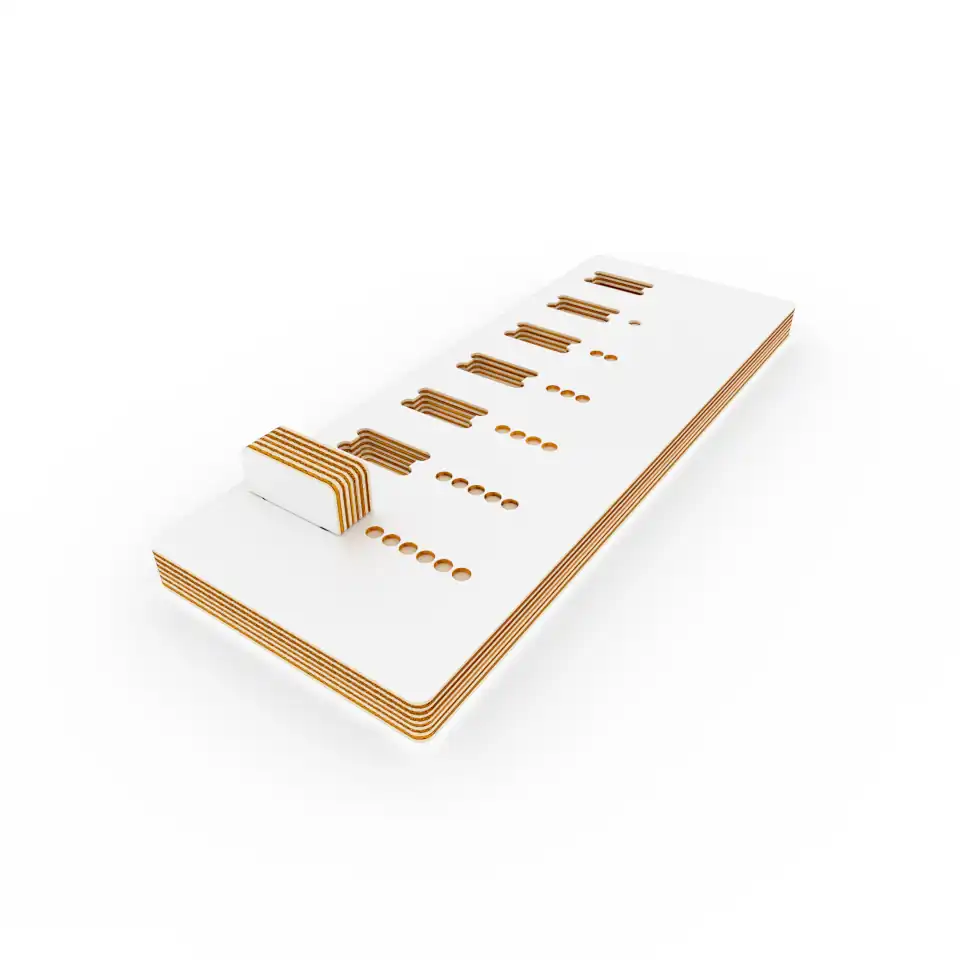
Inserts test to calibrate the insert gaps before generating production plans.
Step by Step
- Measure
Grab your thickness gauge and measure the board precisely.
- Generate the Calibration Pair
Go here, slide to your measured thickness and get a generate a calibration pair.
- Cut & Test Inserts
Cut those pieces from a sample of your material and try the inserts.
- Check Fit & Count Dots
Check how tight and loose your inserts feel on your sample material and count the dots. Each dot in the test board ads 0.05 mm to the width of the slot (the first one is the thickness you entered in Step 2 and the last one is 0.3 mm wider).
- Write it down
Take note of the ones that fit perfectly for your intended use.
- Generate & Download
Once you’re confident with your chosen fits generate your production plans and download.
- Work Your Magic πͺ
From here on, plan the cuts, execute and style it with your own personal touch.