At Turnifure, we are continuously refining the platform to provide a highly capable parametric CNC furniture design tool. Since our last update, we’ve deployed several structural upgrades to make the platform faster, more reliable, and more practical for our network of designers and makers.
Introducing Turnifure Studio
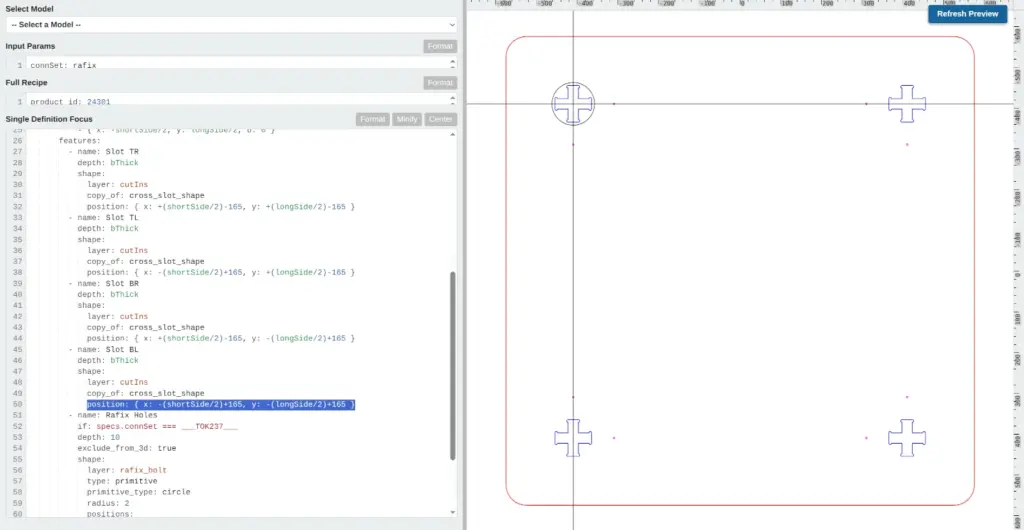
We are currently developing Turnifure Studio, an in-browser YAML editor designed to bridge the gaps between parametric design, 3D visualization and static SVG / DXF plans. We opted for a code-based architecture for a few practical reasons.
First, the code acts as the absolute source of truth. What you define in the editor is exactly what renders on screen and what the CNC machine ultimately cuts, eliminating any unpredictable under-the-hood quirks. Second, a text-based structure streamlines AI-assisted design, setting the groundwork for a chatbot integration we are planning to help generate and modify models. Finally, we removed the barrier of complex syntax. The structure is designed to be highly intuitive, keeping the process as close to writing a natural description as technically possible.
Supported by real-time node highlighting, zoom-independent stroke rendering, and custom color-coding, designers can adjust their parameters and preview the geometric updates instantly. It provides a direct, reliable environment for adapting ideas into machine-ready plans.
Performance and Reliability Updates
Following up on the server optimizations we discussed in our Performance update, we have overhauled our caching strategy and custom CSS generation. As a result, our mobile Largest Contentful Paint (LCP) now consistently registers under 3 seconds, significantly improving page load times.
Because my development style is iterative and agile, we move fast to test and deploy. Recently, this helped us quickly identify and patch a bug in the post-purchase static plan pipeline. Alongside the fix, we implemented deeper backend logging to ensure that when you click “Generate,” the server delivers your exact DXF and SVG files with complete reliability.
AI Media Pipeline Capabilities and UI Adjustments
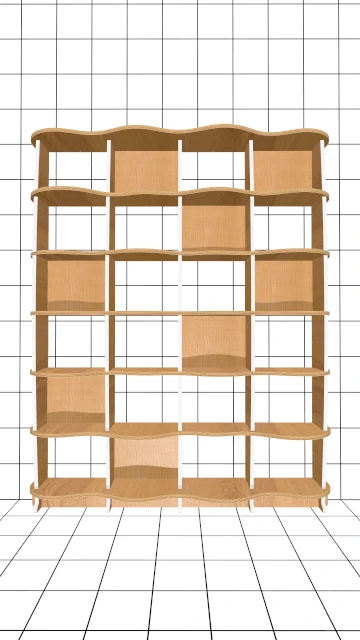
Building on the marketing tools from our previous post, we have updated the Source Render Generator. Designers can now upload actual photo backdrops and input contextual parameters (such as target age, gender, and room style) to generate marketing images for their models. In some cases like the example below these can be augmented into videos.
1
Model
Render
2
Scenic
Render
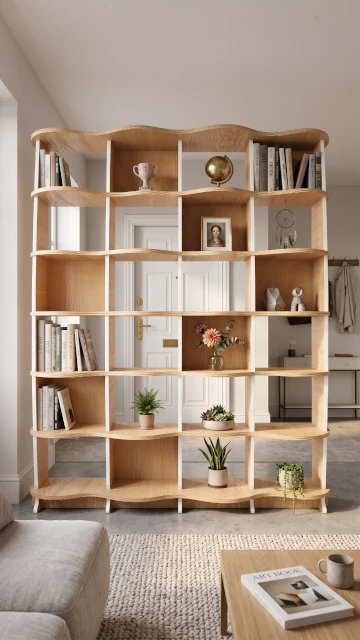
3
Scenic
Video
Direct Maker Feedback
To ensure our output aligns with actual workshop requirements, we recently held feedback sessions with experienced CNC makers. Analyzing their hands-on experience is actively shaping our development roadmap and helping us prioritize the features that add the most practical value to the shop floor.
We are continually working to streamline the design-to-manufacture process, and we appreciate the ongoing collaboration from the community.
👉 Explore our expanding, multi-designer catalog here: Browse Models
📅 Update 2026-08-15 – Enhancing Social Content Workflows
We’ve been testing our new motion render generation pipeline with a few of the old static renders and results are simply unbelievable… I can confidently say our AI generated photo-realistic renders are a thing of the past. We’ll be posting videos from now on. Check them out at our Insta profile..
262
258, 248, 252, 253, 256, 144, 254, 249, 239, 243
Can I download these custom plans directly as DXF files to use on my home CNC?
Yes, absolutely! Once you customize your model in ModMaker, clicking ‘Generate’ instantly compiles and delivers both clean DXF and SVG files straight to your device, ready for immediate cutting on any standard home CNC router.